 Essentials
Introduction
The Stylist changes your look: hairstyle, hair color, clothes color, and the hats usually sold across the Midgarts Kingdom. He talks to you and offers several options.
New Stylist UI
An interface made to choose hairstyles, clothes colors and hats more easily.
Classic way
Choose your hair color, clothes and hairstyle through the NPC dialog window.
The Stylist window
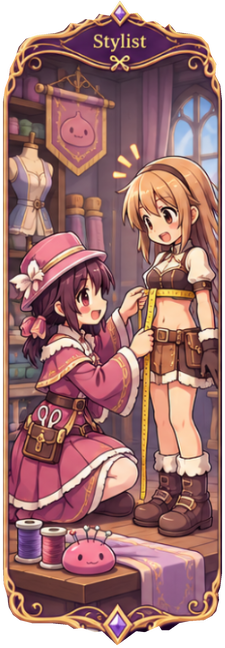
The Stylist waits for you in Midgard (107, 238). Talk to the Stylist and the Stylist window opens: your character stands in the middle, drawn by the game with the look you are trying (Original or New look, Turn to see every side).
- Pick a tab and click a tile: your character tries it on at once.
- Check Your new look on the right: every change and what it costs.
- Click Apply: the changes are saved. Free changes cost nothing; a paid one is bought once and stays yours.
- Free nothing to pay
- Mystic Points bought once, yours for good
The 9 tabs and what they cost
Hairstyle
Free styles #1 to #80 and #101 to #102
20 Mystic Points styles #81 to #100: Hairstyle Expansion, once for your account
102 hairstyles, numbered as in the game (Doram: 10). Every tile shows your character with that style.
Hair Color
Free
252 colors, #0 to #251 (Doram: 35, #0 to #34).
Clothes Color
Free colors #0 to #550
80 Mystic Points color #551: Golden Palette, once for your account
552 colors, #0 to #551.
Skin Color
Free
7 skin tones. Changes the skin of your face and body, for this character only. Not for Doram.
Body Style
Free Advanced Job, your original outfit
40 Mystic Points 3rd Job · 60 Mystic Points 3rd Job Alternative · 80 Mystic Points 4th Job
40 Mystic Points gender change
Made for advanced jobs only (and Rebellion, Kagerou/Oboro, Star Emperor, Soul Reaper). A body style is bought once and kept by your account: switching back later is free. Already yours if you reached its Mastery rank (Master: 3rd Job, Hero: 3rd Job Alternative, Legend: 4th Job). A gender change resets your skills, takes off your equipment and logs you out.
Aura
100 Mystic Points per aura set, once for your account; removing it is free
Combine the 3 parts of your aura:
- Particles sparkles around you (152)
- Rings rings at your feet (117)
- Ground glow on the ground (35)
Saved in your Dressing for your account; reusing a set is free. Base Level 100 required.
Effect
50 Mystic Points per effect, once for your account
Free the effects of the hats in your Dressing
31 hat effects and 55 shop effects. It works with any hat you wear; removing it is free.
Name Color
30 Mystic Points per color; removing it is free
The color of your name when you talk: 16 colors.
Costumes
40 Mystic Points for most Stylist Shop hats (40 to 90)
40 Mystic Points costume garments · 49 to 499 Qpet costumes
10, 15 and 20 Mystic Points: Pet Accessory Lv 1, 2 and 3
Shop tabs Top, Mid, Lower, Garment and Pets. Click a costume to try it on, right-click to open its GUIDE page; Hide owned hides what you already have. Hats arrive in your mailbox; pet costumes go straight to your Dressing.
Skin Color
Free. Changes the skin of your face and body, for this character only (Doram characters do not have this tab). The 7 tones, from the lightest to the darkest:
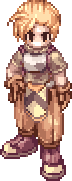
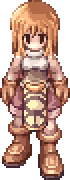 Porcelain
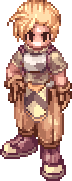
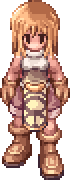 Default
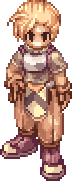
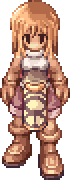 Beige
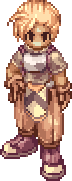
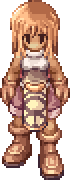 Golden
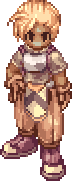
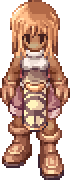 Tan
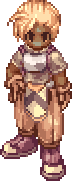
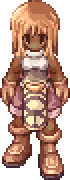 Caramel
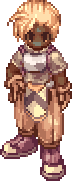
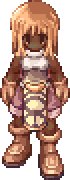 Brown
Your new look
The right side of the window sums up every change before you apply it, with what it costs and your Mystic Points. For example:
Your new look
- Hairstyle #1 becomes #57
- Hair color #0 becomes #12
- Clothes color #0
- Skin color Default becomes Golden
- Body style Advanced Job becomes 3rd Job
- Gender Male
- Aura none
- Effect none
- Name color none
Cost: 40 Mystic Points
You have 1500 Mystic Points
Revert everything goes back to your current look. Costumes are bought from the cart of the Costumes tab (Buy).
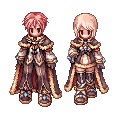
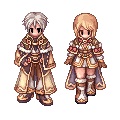
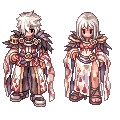
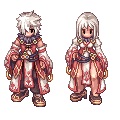
Alternative Job Costumes
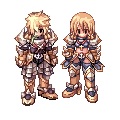
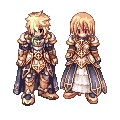
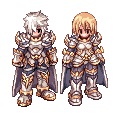
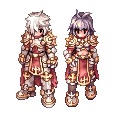
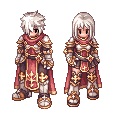
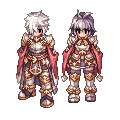
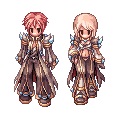
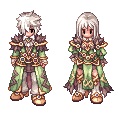
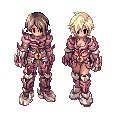
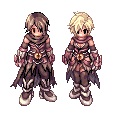
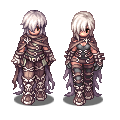
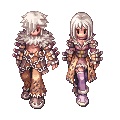
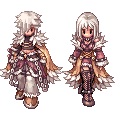
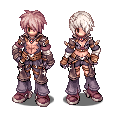
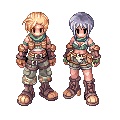
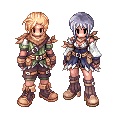
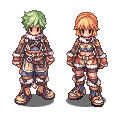
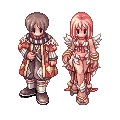
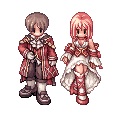
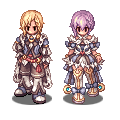
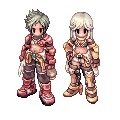
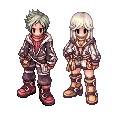
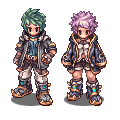
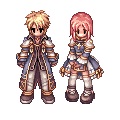
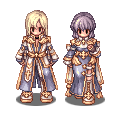
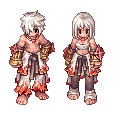
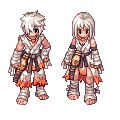
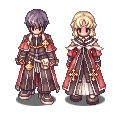
Reach the Rank of Master, Hero or Legend with the Mastery System to unlock a new Job Costume for your class.
- Lv 100 Master costume
- Lv 101 Hero costume
- Lv 102 Legend costume
You can also buy a body style without the rank, in the Body Style tab of the Stylist: 40, 60 or 80 Mystic Points.
A body style is kept by your account: switching between the ones you own is free.
Paladin
| Master - Level 100 | Hero - Level 101 | Legend - Level 102 |
|---|---|---|
 |  |  |
Lord Knight
| Master - Level 100 | Hero - Level 101 | Legend - Level 102 |
|---|---|---|
 |  |  |
High Wizard
| Master - Level 100 | Hero - Level 101 | Legend - Level 102 |
|---|---|---|
 |  |  |
Professor
| Master - Level 100 | Hero - Level 101 | Legend - Level 102 |
|---|---|---|
 |  |  |
Assassin Cross
| Master - Level 100 | Hero - Level 101 | Legend - Level 102 |
|---|---|---|
 |  |  |
Stalker
| Master - Level 100 | Hero - Level 101 | Legend - Level 102 |
|---|---|---|
 |  |  |
Sniper
| Master - Level 100 | Hero - Level 101 | Legend - Level 102 |
|---|---|---|
 |  |  |
Clown & Gypsy
| Master - Level 100 | Hero - Level 101 | Legend - Level 102 |
|---|---|---|
 |  |  |
Whitesmith
| Master - Level 100 | Hero - Level 101 | Legend - Level 102 |
|---|---|---|
 |  |  |
Creator
| Master - Level 100 | Hero - Level 101 | Legend - Level 102 |
|---|---|---|
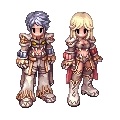 | 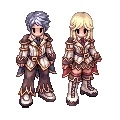 | 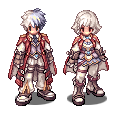 |
High Priest
| Master - Level 100 | Hero - Level 101 | Legend - Level 102 |
|---|---|---|
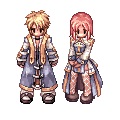 |  |  |
Champion
| Master - Level 100 | Hero - Level 101 | Legend - Level 102 |
|---|---|---|
 |  |  |
All Hairstyles
All 102 hairstyles, numbered as in the Hairstyle tab (the same blonde hair dye #35). Styles #81 to #100 (gold star) are the Hairstyle Expansion: 20 Mystic Points once for your account. All the others are free, the new DARO styles #101 and #102 too.
Male hairstyles


Female hairstyles


Hat Costume System
Wear any hat you own, anywhere, without carrying it. Hats in your Hat Storage show over everything else: even with a battle hat and a costume hat on, only the Hat Storage hat is displayed.
Your Hat Storage holds up to 300 hats for now (this limit may increase later).
- Open the Character window and click Dressing.
- Pick a hat to wear it, or remove the costumes you are wearing.
American Version
You can place and remove a hat freely, with no consequence.
European Version
Once placed, a hat cannot be taken out. You can only delete it to make space.
Hat Costume Commands
| Name | Description |
|---|---|
| Dressing button | Opens your Hat Storage: pick the one you want to wear, or remove the costumes you are wearing. |